
Mobile Apps Need SEO Too. Here’s What You’re Missing
Like SEO for websites, but designed specifically for app stores.
October 17, 2025
7 min read
In this article

Subscribe to Our Newsletter
Get mobile commerce insights. No fluff, just what you need to build smarter.

In an increasingly crowded app ecosystem, standing out takes more than just a good product. And with search engines indexing more app content than ever, Mobile App SEO is no longer optional.
Where to start? Right here, your crash course in boosting mobile app visibility.
App Store Optimization (ASO): What is it and why should you care?
When discussing app store optimization (ASO), we’re talking about the process of improving your app’s visibility and ranking in app stores like Google Play and Apple App Store. Think of it as mobile app SEO—like SEO for websites, but designed specifically for app stores.
And this is why you want to know this: In 2025, app stores are the top channel for app discovery. Apple’s June 2025 App Transparency Report showed that over 50% of app downloads come from organic search within the app store. Without ASO, even the best apps stay invisible.
Just like your website—or any marketing channel for that matter—great content isn’t enough anymore. It’s all about distributing your content and helping customers discover you. And with ASO, you’ll see the benefits take the form of:
- More organic downloads. Which means more potential customers to retarget
- Lower customer acquisition costs. You can scale back ad spend
- Stronger brand presence. Especially where it counts like on your digital channels
- Higher retention. The app reaches users who are actually looking for what your app offers, leading to improvements in your mobile CRO
Want to know more about mobile CRO? Read more here.
ASO factors you can control to climb the ranks
Alright, now we know why ASO matters. On to the more important part—how does it actually work?
While there is always some mysterious, black-box element to algorithms, there are several elements you can control to improve your app’s ranking in various app stores. Here are some tactics to be aware of:
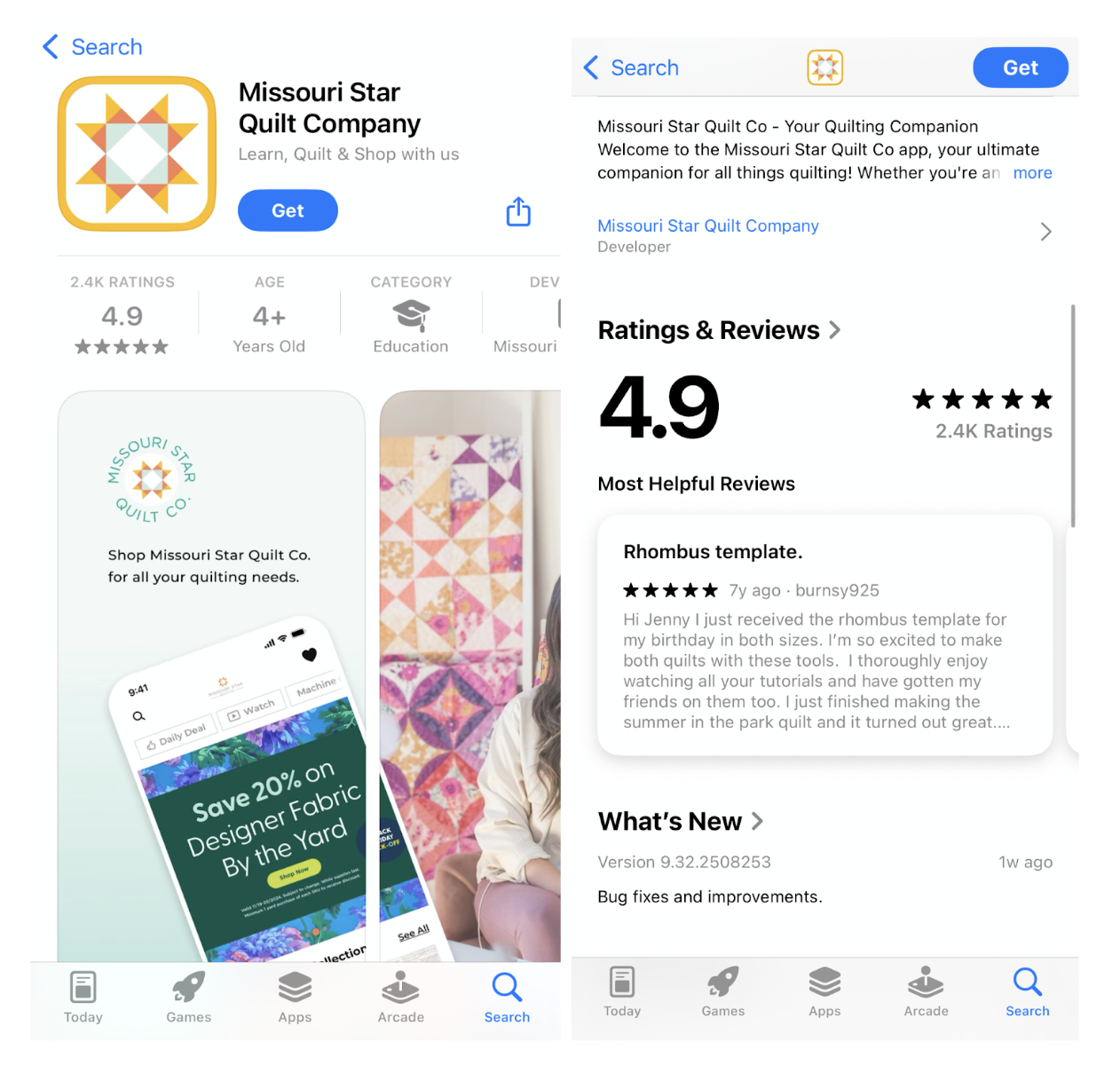
- App name and subtitles. Keep it descriptive and brief
- Icons. Typically, your store logo
- Ratings and reviews. Social proof from other customers
- App preview and screenshots. Give users a taste of what they can expect once they download
- App description. Explain what users can find in the app (i.e. loyalty programs, exclusive discounts, memberships, etc…)
App updates. Shows users that you’re actively investing in the UX
7 steps to improve your app store optimization
To rank higher in the app store, here seven considerations you can’t ignore:
1. Nail your keyword and user intent research
ASO starts with understanding your relevance. Why? Because sometimes you don’t know what you’re looking for until you find it. The same is true in the app store.
According to AppTweak, 65% of all App Store downloads are triggered by searches of generic terms, meaning keyword optimization is vital. Here is are ways to go about this:
- Utilize keyword research tools. Find those specifically designed for app stores like AppTweak, Sensor Tower, and App Radar. Discover high-volume, relevant keywords.
- Prioritize highly targeted keywords.In the age of Chat-GPT, the way users search is changing. That’s why prioritizing long-tail, intent-based keywords is a great way to attract meaningful traffic that is more likely to convert. For instance, you may want to rank for “waterproof dainty gold jewelry” instead of “gold jewelry” to attract the right shoppers.
- Continuously refresh your keywords. Things change quickly. Because of that, it’s best practice to update your keywords on an ongoing basis. App Radar recommends updating your ASO strategies every 1-2 months (6-8 weeks for Google Play Store and every 4 weeks for Apple App Store
- Quality over quantity. More keywords does not equal better rankings. This veers into spammy, keyword stuffing, which not only makes for a poor experience but also hurts your ranking in the algorithm.
2. Optimize metadata (title, subtitle, & description)
Metadata is a major ranking lever. In 2025, ASO experts emphasize that metadata—especially titles and subtitles—remain the primary way app stores assess relevance.
Metadata is one of the most important places to apply that keyword research you did. Include top-performing keywords in your title:
- Apple App Store. You get 30 characters for your title and another 30 for your subtitle. Make them both count by using various keywords.
- Example. Add your primary keyword next to your brand name in the title and focus your subtitle on your main benefit, with a secondary keyword
3. Boost visual appeal & storytelling in your listing
Visual elements dramatically affect conversion. For example, think of all the places your app’s icon appears: app store listings, users’ home screens, phone settings, and more. It’s your visual identity so it needs to represent your brand and mobile experience effectively.
Recent studies indicate that optimizing your app's visual assets, like user ratings, screenshots, and videos, affects conversions, not just rankings. Here are ways you can do this:
- Stay on brand. Ensure your app icon is visually compelling and on-brand.
- Use high-quality screenshots. Use screenshots that showcase your app's core features and benefits (for instance, product collections, checkout pages, community forums, member-only offers, and more).
- Test your screenshots. Both Google and Apple let you A/B test screenshots. For example, create cohesiveness with your screenshots to tell your brand narrative, visually.
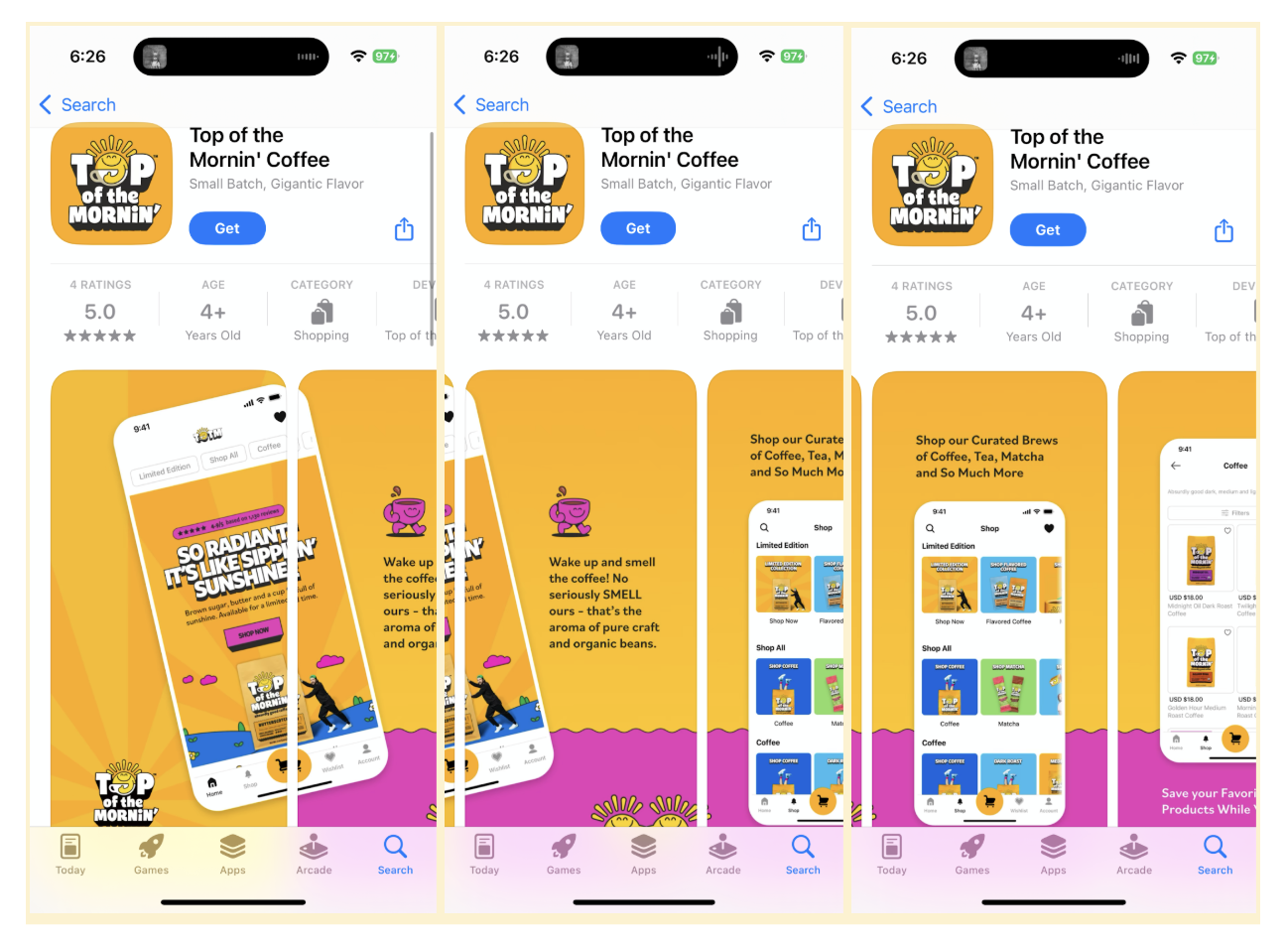
Something to note: Apps with a preview video see a 20% to 40% higher conversion rate than those with screenshots alone. Including a short, engaging preview video can provide users with a clear understanding of your app's functionality and user experience.
4. Prioritize ratings and review management
Bottom line: your app store reviews could be the make-or-break factor on whether someone downloads or bounces.
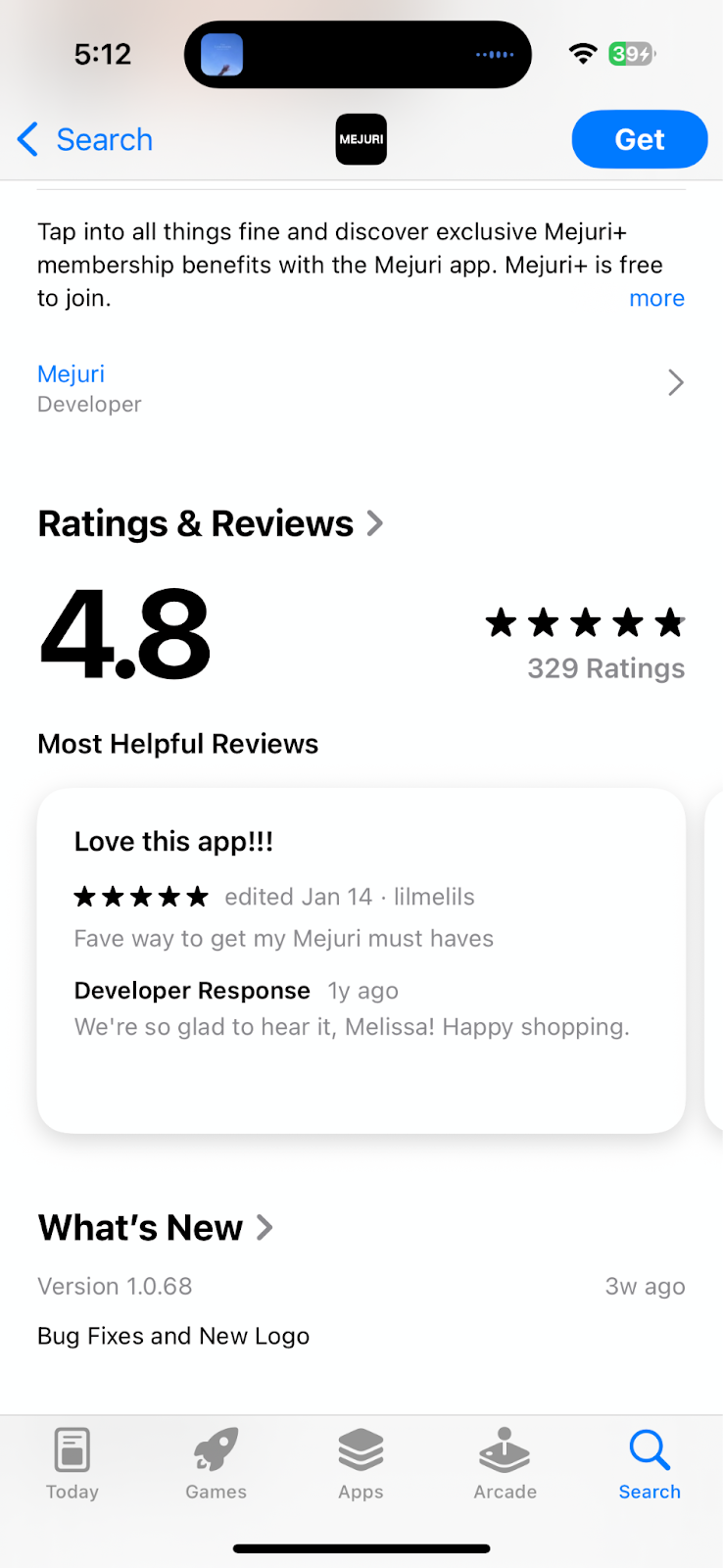
Research shows that 50% of mobile app users won’t download an app with a 3-star rating. That climbs to 85% when it’s a 2-star rating. And we’re not just talking about a few users—77% of mobile app users read at least one review before downloading a free or paid app.
While you can’t directly impact your reviews and ratings, there are strategies to encourage your app users to help you influence this factor:
- Prompt feedback. Encourage feedback from consumers post positive interactions.
- Respond to reviews. Showing gratitude and resolution matter and signal to other potential customers that you care about your community’s feedback
- Monitor sentiment trends. Use recurring themes to improve the product, listing, description, or UX.
5. Boost retention and engagement signals
Getting users to convert and download your app is step one. But in 2025, app stores reward apps that keep users active.
Higher retention signals to Apple and Google that your app provides value, improving ranking. On average, only 21% of users return to an app within the first 24 hours, dropping to 7.5% by day 10 and just 1.89% by day 90.
What this means is that if you can keep users to return (even just on day two), you’re already ahead of the competition. Here is how you can get users to come back:
- Make it easy. Simplify onboarding flows to reduce drop-offs.
- Make it personal. Use personalized push notifications to re-engage lapsed users.
- Make it trackable. Track key retention metrics (Day 1, Day 7, Day 30) to assess performance
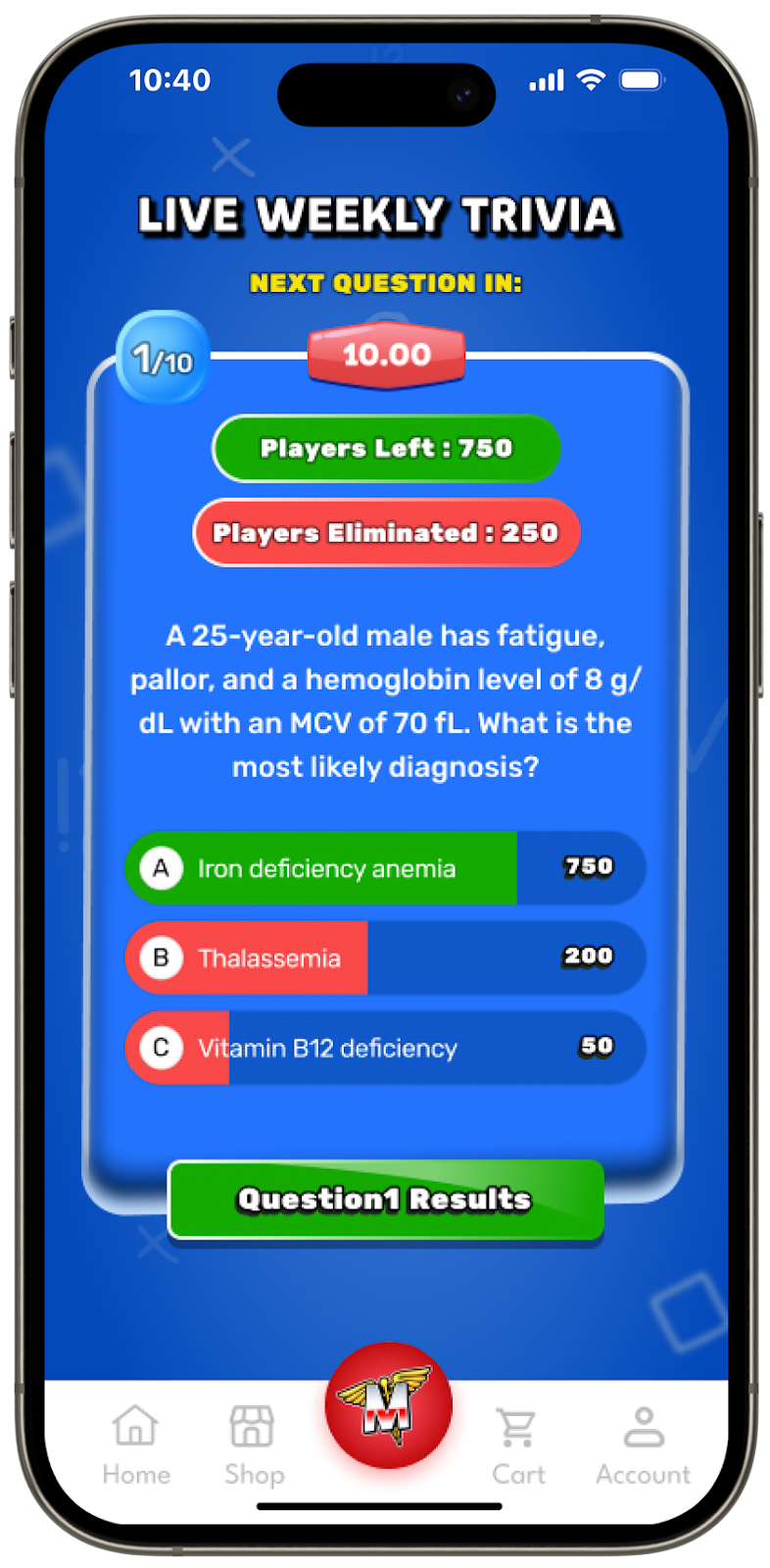
- Make it desirable. Employ loyalty or gamified features to keep users returning
6. Localize to go global
If you ship to international markets, your app should reflect that. And localizing your app can help you break into new markets. Industry knowledge shows that 80% of top-grossing app markets speak languages other than English.
And studies show that apps that localize metadata and visuals see up to 128% more downloads in targeted countries. You can take advantage of this, here’s how:
- Translations. Translate app titles, subtitles, and descriptions into target languages or spellings. For example, UK English/Canadian English vs. US English. Or term differences based on local slang.
- Visual adaptations. Adjust visual elements (screenshots, videos) for cultural resonance
- Localize keywords. Optimize keywords per locale using localized keyword research tools.
7. Continuously test, iterate & monitor ASO performance
Algorithms, user search behavior, and app store ranking factors are constantly changing, especially in the age of AI. A winning ASO strategy is not a set it and forget it one—when technology changes so should your ASO.
Stay dynamic to continuously adapt to an ever-changing landscape:
- Google Play testing. Use Google Play’s built-in A/B testing and replicate via segmented testing on iOS
- Track performance. Track metrics like keyword and category rankings, install conversions, and retention week over week
- Stay in the loop. Adapt to new app store features—like Apple’s Custom Product Pages (CPPs) with deep linking, and Google Play’s Custom Store Listings (CSLs)—to boost targeting and conversions
- Consistently refresh. Seasonally update your approach to align with holidays, trends, or cultural moments.
Boost your app rankings with Reactiv
Remember: app store optimization drives installs—but ranking isn’t enough if users churn quickly.
By using Reactiv, you can improve your ASO while minimizing churn by:
- Engaging users instantly via Reactiv Clips (boosting retention signals that stores reward).
- Personalizing onboarding and push notifications (i.e., asking for app store reviews a couple of days after downloads, and sending push notifications with personalized offers for dormant customers)
- Running A/B tests on landing pages and campaigns that directly support ASO
Now that you know about us, we want to know more about your business. Book a Reactiv Clips demo today.




See Reactiv on your storefront.
Book a demo and we'll walk you through native apps and App Clips running on your Shopify store.