Subscribe to Our Newsletter

Get mobile commerce insights—no fluff, just what you need to build smarter.
Thank you! Your submission has been received!
Oops! Something went wrong while submitting the form.

Try these top 10 push notification best practices

By  
Tina Donati
June 18, 2025

We’ve all heard the phrase: there’s an app for that. And while modern mobile apps offer a lot of convenience, they also come with a unique challenge: download fatigue. 

Shoppers usually don’t want to install a new app for every store, no matter how much they love the brand. We only have so much storage on our phones (and most of that’s reserved for pet pictures, anyway).

Now imagine there’s a way to get audiences to engage with your mobile app and retarget every ad click without requiring downloads. 

Sounds too good to be true? Well, unlike a limitless ice cream machineit’s real.

Your secret weapon for re-targeting: Reactiv Clips

Reactiv Clips are lightweight versions of mobile apps that allow users to access a specific part of the app's functionality—no download required. It’s a better landing page experience than a your desktop website fitted for mobile.

Once a shopper engages with the clip, it allows you to send unlimited iOS notifications over 8 hours to anyone who clicks from your ad, email, or SMS. 

Don’t just take our word for it, either: 60%+ of Reactiv Clips get opened

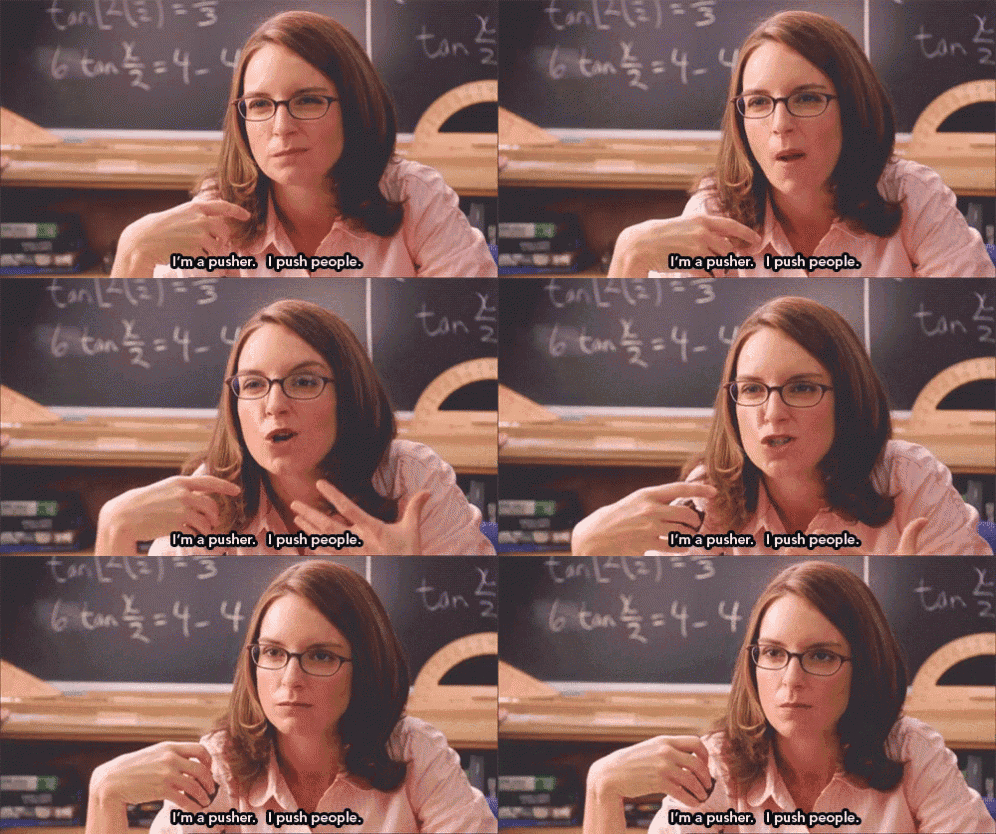
(You too can become a “pusher”of push notifications, that is.)

Use these top 10 tips to turn yourself into a certified “pusher” (the good kind!) and help avoid user notification fatigue, personalize every nudge, and turn mobile pings into conversions.

1. Align push notifications to your ideal customer journey

Push notifications are an essential tool at every stage of the customer journey, from acquisition to win-back campaigns. 

But did you know you can map push notifications to key moments in your customer journey?  Reactiv Clips allow you to create different types of push notification campaigns based on where the user is at. 

Here are a few examples:

  • Brand awareness – Use campaigns linking to Reactiv Clips Collections that introduce your story and showcase core products.
  • Sales and promotions – Boost sales with campaigns driving to Collections featuring sale-specific offers.
  • New product launch – Put your newest products front and center with Clips that are impossible to ignore, linking to Clips Product Pages or Collections.
  • Seasonal campaigns – Tailor Clips Collections for holidays or seasonal must-haves, driving up average order value (AOV) at key times.
  • Upselling and cross-selling – Increase cart value with product recommendations on Clips Product Pages.
  • Re-engagement – Win back shoppers with personalized emails, cart recovery Clips, and push notifications that link to Reactiv Clips Product Pages.

First, segment your users, then send them the right notifications based on the stage they’re at. A powerful push notification marketing strategy helps you decide what to send, when, and to whom.

Example: How Missouri Star Quilt Company mended a broken app experience and stitched together a new success story
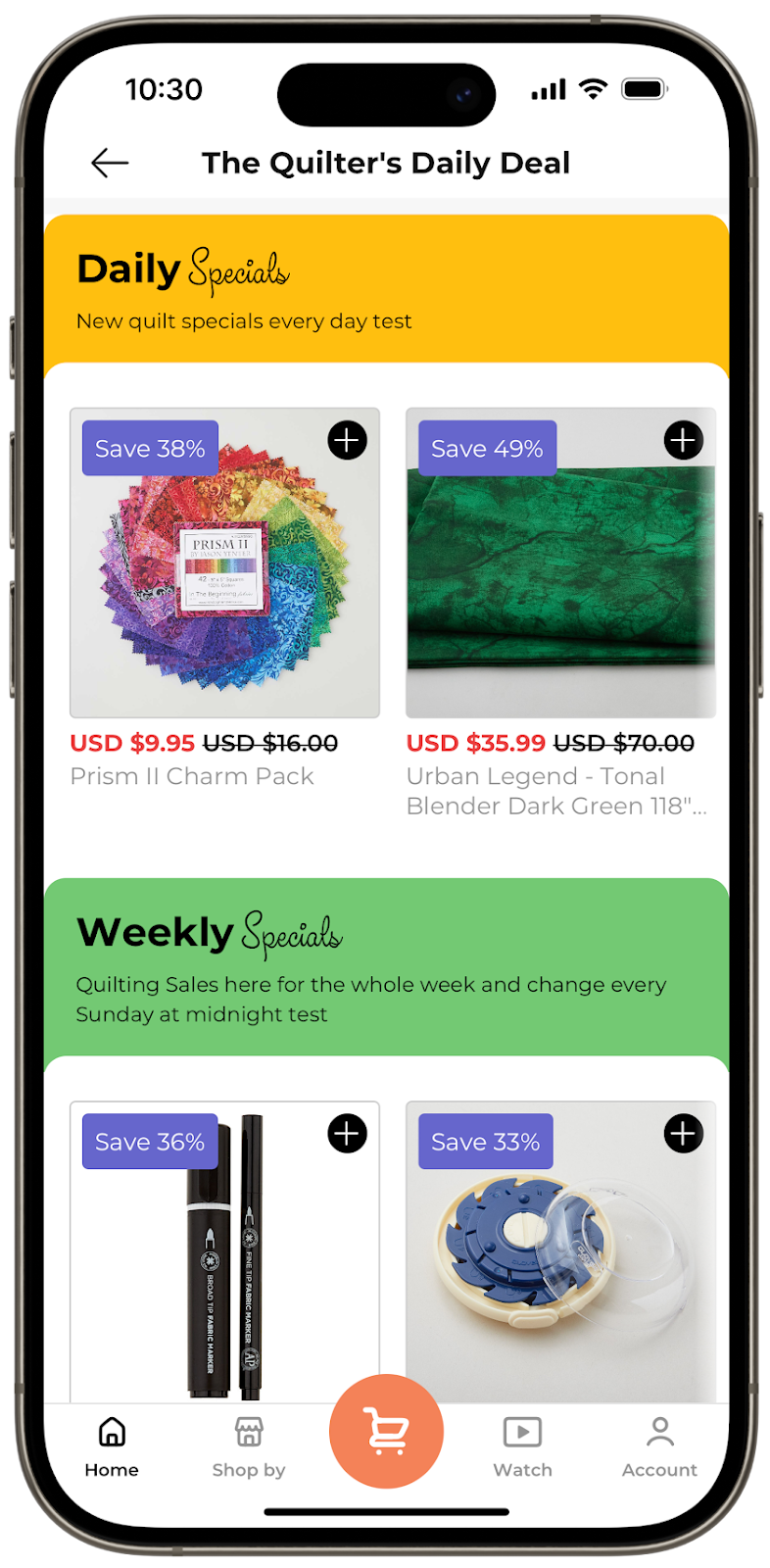
After their previous app partnership unraveled overnight, Missouri Star Quilt Company (MSQC) was left with no support and hundreds of thousands of customers to answer to. They needed a new solutionand fast. That’s where the team at Reactiv stepped in. 

With their help, MSQC built a community of 50,000 app users in just two weeks(!). Not to mention, 10% of their total revenue was generated from Reactiv alone. 

They now use push notifications to share valuable content with engaged users, like alerts about new fabrics, digital patterns, or ebooks in their app's library. This ensures every message adds value at the right stage in the user journey.

2. Have one clear goal for each notification 

Words to live by: keep it simple. The average smartphone user in the U.S. receives at least 46 push notifications every day. That means you’re competing with 45 other messages to stand out. 

Don’t ask your user to do too many things in a single notification. With notification fatigue, it’s best to keep it simple and hyper-targeted to optimize conversions. 

Is your goal to re-engage? Drive a sale? Increase app downloads? Every push should support a measurable outcome.

That’s why it’s best practice to make it clear what action you want users to take. Decide if you want users to:

  • Browse a new product drop
  • Sign up for your rewards program
  • Shop your limited-time only sale 
  • Complete their purchase

The beauty of push notifications is that they grab your customer’s attention. But it’s what you do with that attention that really matters. So, make it count!

3. Keep your CTAs short and sweet 

Here’s a CTA for you: Get to the point. Quickly. 

Use clear, concise language with a strong call to action between 5-10 words (like we did above, see how easy it is?). Try to create a sense of urgency that drives your users to your store at that moment.

Here are some examples:

  • For an abandoned cart: “Looks like you left something behind 👀 Finish checking out now before it’s gone!”
  • For a new product release: “Just dropped: our newest arrivals. Shop the drop before they sell out.”
  • For personalized discounts or flash sales: Your 10% off code is waiting! Grab your discount and complete your order today."

4. Personalize notifications with event-based triggers 

The best way to stand out is through one-to-one remarketing tailored to each specific user. 

For timely engagement, use real-time triggers and user behavior. This includes browsing history, cart abandonment, price drops, back-in-stock alerts, and individual shopper activity.

The best part is that Reactiv Clips makes this easy. Users can interact with a specific feature or product without needing to download the entire app, and enable push notifications for up to 8 hours without the shopper having to “opt in.”

The best push notifications are personalized based on event-triggered nudges, like these:

  • Viewed a product? Send a reminder later with the product photo and a “Still thinking it over?” message.
  • Abandoned checkout? Trigger a follow-up with a soft nudge like “Don’t forget what’s in your cart — it’s waiting for you!”
  • Just purchased? Send tracking details or suggest downloading the app for faster order updates.
  • Browsed a category but didn’t buy? Recommend bestsellers or trending items from that same category.
  • Engaged mostly at night? Schedule notifications based on their active hours.

Example: Med School Bro’s big-brained approach to targeting medical students

Med School Bro has a very unique customer journey. It sells study resources for medical students at different stages of their studies. This means it’s vital for them to keep a pulse on each customer's academic journey. 

To get a better handle on their customer data, Med School bro worked with Reactiv and Lazer Technologies to build out unique features like daily and weekly quizzes, a loyalty program, personalized product recommendations, customer segments, and more. Then, they use this specific data to try to upsell customers.

“A natural kind of upsell is if we have a cardiology question of the day and 20% of the people get it wrong, we can immediately send them a push notification or an offer in-app giving them 15% off our cardiology guide,” shared Brandon Portnoff, co-founder and CEO of Med School Bro.

5. Use rich media to increase engagement 

Don’t just tell. Show. 

Using rich media in your push notifications can increase open rates by 56%

Adding pictures, emojis, GIFs, or videos to your push notifications stretches your word count a lot further.

This is especially handy when you send a notification about a specific product. For a cart recovery notification, include a picture of the product the customer left behind for a visual reminder of what they’re missing out on. 

6. Time notifications for when users are most active

Timing is everything. You’ll want to get in front of your users when they’re most likely to engage. 

This varies based on your customer base, time zones, and preferences. A general rule is that most users ignore notifications during the day. 

So, what’s the sweet spot? We found it’s between 9 PM and midnight. Good old nightly scrolling time. 

During this window, we’re seeing conversion rates hit 6.8% for Reactiv Clips. This outperforms the 5.7% ecommerce industry average conversion rate for behaviour-based push notifications (source). 

7. Don’t be too pushy with notification overload

Stop us if you’ve been here: you opt into notifications from a brand, and suddenly your phone’s buzzing nonstop. Ping. Ping. Ping. It quickly goes from helpful to a headache. 

Before you know it, you’re digging through settings to make it stop. And just like that, a potential customer turns into an annoyed unsubscriber.

It’s good to send regular notifications to stay top of mind. But how many messages is too many? 

46% of users would say that between two to five notifications in a single week would drive them to opt out (source). 

Optimize your push notification frequency with weekly thresholds to avoid overwhelming or frustrating users. 

8. Ensure a seamless post-click notification

Getting someone to tap on your push notification is great, but it’s only half the battle. If users land on a slow, clunky, or misaligned experience, that click means nothing.

Make it as easy as possible for users to follow through on the CTA with an effortless post-click notification. The landing page should align with the message, whether it’s a product, app page, or content. 

Reactiv Clips help you overcome this barrier by bringing customers exactly where they need to be without downloading an app. 

Let’s say your push notification reads: "Your exclusive 20% off ends tonight. Tap to apply it at checkout.”

Instead of opening a generic mobile site or being asked to log in to their account, a Reactiv Clip takes the user straight to that exact sale page or Clip Collection featuring specific offers. 

That seamless experience eliminates drop-off and drives results.

40% of users will abandon a site if it takes more than three seconds to load. Considering 70% of all web traffic takes place on mobile, every second counts.

9. A/B test push notification elements regularly

Don’t just pick one push notification strategy and stick with it forever. Refine it through ongoing testing.

You can use Reactiv’s dynamic segmentation tools to create targeted groups for more precise testing. 

For example, you can test elements like:

  • Timing and frequency – Try testing morning vs. evening and playing around with notification frequency 
  • CTA style – Compare different approaches like “Shop Now” vs. “Don’t Miss Out”
  • Media formats – Experiment with text-only vs. image or GIF-based notifications 
  • Tone and language – Casual and emoji-filled vs. clean and formal

10. Track performance metrics and optimize as you go

Like any other marketing tactic, it’s important to track your push notification performance and optimize it over time. 

Go beyond open rates and track metrics like clickthrough rate (CTR), conversions, opt-outs, and revenue impact. 

Friction kills conversions, so make sure to identify post-click pain points and optimize your landing experiences. Use your data to inform things like: 

  • Frequency caps 
  • Message timing 
  • CTAs

Reactiv’s dashboard provides real-time data syndication capabilities. This helps you seamlessly integrate with third-party analytics platforms for timely performance tracking.

Drive more growth with Reactiv Clips

Put these top 10 push notification tips into practice and watch your conversion rates soar through the roof. 

Reactiv Clips can help take your strategy even further by eliminating post-click friction and turning your push notifications into high-converting, app-like mobile experiences—no downloads needed.

Reactiv Clips offer:

  • App-like experiences, without the app store friction
  • Real-time retargeting, allowing you to re-engage users who didn’t convert the first time
  • Fast-loading, dynamic pages that match your brand 
  • Deep analytics and data integrations so you can track, test, and optimize performance
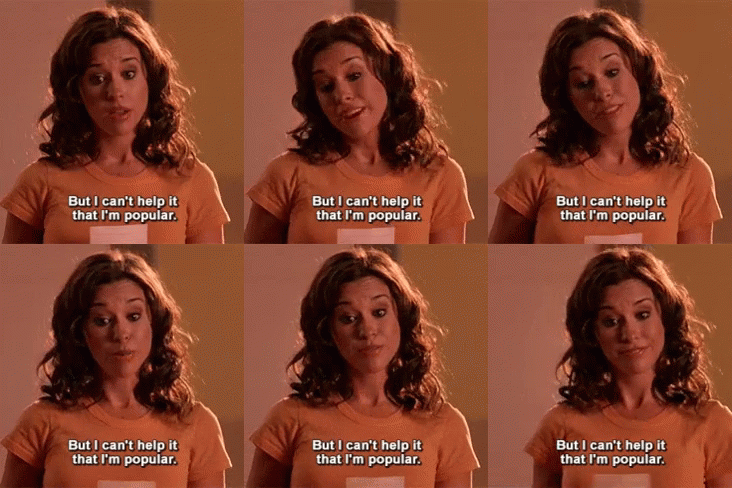
(Reactiv Clips really is that girl.)

Turn your next push into a powerful conversion opportunity. Get started now.
Other Similar Blogs

Push notifications vs SMS: How to pair them to max mobile engagement

Just as marketers once learned to balance email and SMS, the next phase is about balancing SMS and push notifications.

Ever wonder how much time we actually spend scrolling every day? Well, the results are in: the average consumer spends over five hours a day on their phones. For those who get a weekly screen time recap, this number isn’t surprising.

But it also shows why mobile marketing is more important than ever. 

Mobile commerce accounted for 7.4% of total U.S. retail sales in 2024. The small screen drives a massive share of ecommerce growth.

The tricky part is, it’s also a massively crowded field. The average smartphone user in the U.S. receives about 46 push notifications every day. That’s not even counting all the text messages, calls and emails. People are accustomed to filtering things out. 

So, how do you cut through all the digital clutter?

That’s where short message service (SMS) marketing and push notifications can help: aka, the ultimate power couple. Like crafting the perfect peanut butter and jam sandwich, only brands that can master the delicate balance between SMS and push notifications will be able to rise above the noise.

And with new privacy changes reshaping how SMS is delivered, pairing these two strategies has never been more crucial. 

Read ahead to learn more about:

  • What SMS marketing and push notifications are
  • Why they work
  • When and how to use them
  • How to build a winning SMS and push notification strategy
  • How to create app-free push notifications with Reactiv Clips

What is SMS marketing?

SMS marketing lets ecommerce brands send promotional or informational texts to the phones of customers who opt in. 

For years, SMS marketing has been the go-to strategy for reaching customers and (almost) guaranteeing that they’ll see your message—and for a good reason. The average open rate for SMS messages is 95%

But why do customers actually opt to receive SMS messages? Well, sometimes they want to stay up-to-date on the latest offers. Other times, stores have incentivized SMS opt-ins with welcome discounts. 

Whatever the reason, customers are clearly very willing to trade their phone numbers for the perceived value of SMS marketing. In 2025, 84% of customers opted in to SMS messages

Why it works

The biggest benefits of SMS marketing can be summed up in five categories:

  1. Reach: You can reach users on all mobile phones with no internet connection or app required.
  2. Speed: Most of your messages will be read immediately because customers are already primed to read incoming messages—32% of customers read new text messages within 1 minute. A further 50% read them within 5 minutes. 
  3. Trust: SMS is a familiar channel that’s part of most customers’ everyday lives. They also directly opted in to receive them. 
  4. Return on investment (ROI): SMS marketing is a cost-effective strategy with high engagement rates. It typically delivers $21–$41 ROI for every $1 spent
  5. Conversion: 72% of consumers have purchased after receiving an SMS from a brand.

When to use it

SMS marketing can be a huge boost to any multi-channel retargeting strategy. It’s great for personalized messages, like these:

  • Welcome offers for new subscribers: “Welcome to the club! Enjoy 15% off your first purchase with code WELCOME15”
  • Urgent promotions: “Flash sale ends in 2 hours”
  • Subscription renewals or timely restock notifications: “Running low? It’s time to restock on [product]”
  • Abandoned-cart recovery with discounts: “Leave something behind? Take 10% off your cart”
  • Transactional alerts: “Your order has shipped/been delivered”

Example with Mejuri

Mejuri, a fine jewellery company, offers new SMS subscribers 10% off their next purchase with a custom discount code. 

What are push notifications?

Push notification marketing is a personalized type of communication where brands send timely, direct messages to users. This is usually through desktops, mobile devices or in-app notifications. They’re often used as part of a retargeting strategy, but they’re also great for stand-alone campaigns. 

While they don’t need a user’s phone number or email address, they usually are sent to shoppers who have your mobile app downloaded.

But now with Reactiv Clips, there’s no app download needed, either.

How does it work? Brands can send timely push notifications to customers who clicked on their ads without needing an app install or an opt-in. And the results speak for themselves.

Reactiv users see an average 60% open rate on personalized pushes and a 5–7% conversion rate.

Why they work

Here are the six biggest benefits of using push notifications:

  1. Increased ownership: Helps you avoid carrier restrictions, delivery issues or message filtering with your owned app or website. 
  2. Stronger personalization: Guides your user directly from notification to app checkout in one click. Use best practices like behavioral triggers, segmentation, and seamless post-click journeys to do this.
  3. Cost-effective: Once you have an app up and running, push notifications are free to send. This is a great way to avoid any additional per-message fees. 
  4. More rich content: Allows you to stand out on your user’s homescreen in an on-brand way that’s uniquely yours. Make the experience interactive with visual elements like emojis, GIFs and deep links. 
  5. Increased retention and engagement: Apps with push enabled see 88% better engagement and 65% higher retention in the first 30 days than those that don’t.
  6. Revenue lift: Personalized push notifications generate up to 10x more revenue per user than email/SMS.

When to use them

Push notifications are best used for re-engagement, lifecycle marketing and driving repeat visits. They work especially well when the message is personalized, timely and action-oriented. They also have a clear call-to-action (CTA). 

Try push notifications for:

  • Personalized product recommendations: “Your favourites are back in stock. Check them out!”
  • Post-purchase follow-ups: “Rate your recent order to earn points”
  • Abandoned-cart reminders: “You left something behind! Checkout now for 10% off”
  • Browse abandonment campaigns: “See something you like? Hurry–they’re going quickly!”
  • Loyalty milestones or VIP rewards: “You’ve reached Gold Status! Use GOLD15 for a discount on your next order”
  • Reactivation campaigns: “We miss you! Here’s 15% off your next order”

Remember: for the highest engagement and conversion lift, use context-driven messages based on behaviour triggers, like browsing a certain product or adding something to cart.

Example with Top of the Mornin’

Top of the Mornin’ Coffee takes a cozy, creative approach to push notification marketing. They use them to build community and loyalty. Rather than conversion-based copy, the brand sends reminders to “Have a great day!” or “Enjoy a cup of coffee” (aww) in order to stay top of mind.

And it’s working—they’re seeing higher brand affinity and repeat engagement from app users. How sweet is that?

SMS vs. push notifications—what’s the difference?

They may both pop up on your phone screen, but push notifications and SMS messages are not the same. 

In a nutshell:

  • SMS marketing is great for ensuring your customer sees and opens your message immediately.
  • Push notifications are best for driving engagement and retention with hyper-personalized behaviour-triggers.

Here’s a breakdown of other important differences:

SMS Push notifications
Delivery and access Sent via carrier network to a user’s phone Delivered through app/web platform (unless you’re using Reactiv Clips, which make app-free push notifications possible)
Message format and length Simple, text-based, up to 160 characters Under 10 words, can include visuals, CTAs, emojis or deep links
Opt in and control Users share phone number, opt out unsubscribes them completely Users choose what type of notifications to receive through app/browser permission (or Reactiv Clips). This flexibility can lead to lower unsubscribe rates and higher long-term engagement.
Level of personalization Basic segments, ideal for direct, one-to-one communication like transactional updates or short-term promotions Deep, behavior-driven. Excel at hyper-personalized, context-driven messages based on real-time behavior.
Filtering risk Rising with “Unknown Sender” filters Minimal once opted in
Privacy and deliverability More regulated, new filters like Apple’s iOS 26 “Unknown Senders” feature moving marketing texts into a quiet side folder Operates within your owned system, reducing dependency on external networks and improving deliverability
Cost Brands pay per message Free once users opt in
Ownership Third-party carriers Brand-owned

How iOS 26 is changing the SMS playbook

With Apple’s recent iOS 26 rollout, the new “Unknown Senders” filtering can push any text from a number you haven’t saved into a quiet side folder. This applies even if you’ve texted that number before.

This means that if you’re only using SMS marketing, the visibility of your messages might be hurt. 

We’re not saying SMS is dead—rest assured, she’s alive and kicking. But the playbook is changing. If SMS is your only mobile messaging channel, you may want to rethink your mix. 

Push notifications can help fill in the gap left in your customers’ message inbox. And remember: Reactiv Clips let you send push notifications without needing an app install or an opt-in

Future-proof your mobile marketing by powering SMS flows with smarter landing pages and automatic push notifications.

Do you really need to use both? (spoiler alert: yes)

It’s really not SMS versus push notifications—they’re actually better together. 

Like the best superhero and sidekick combos, SMS and push notifications amplify each other. They’re a regular dynamic duo—at least in the mobile marketing world. 

Using both of these mobile marketing channels helps strengthen end-to-end communication and improve your remarketing flow. They also help target separate stages of the customer journey. 

It’s worth reaching out in multiple ways, too, because omnichannel campaigns with SMS are 48% more likely to convert. That’s potential you just can’t afford to miss out on.

Another way to maximize your post-click conversions? Try integrating both channels with your remarketing and retargeting flows.

Need even more inspiration? Check out these retargeting ads examples that successfully converted.

Your winning strategy in three simple steps

So, how do you start building your SMS and push notification strategy? It’s actually easier than you’d think. 

Here are three simple steps to get started:

  1. Start with push notifications for app/web users (or users who engage with an ad clip) to maximize owned engagement.
  2. Use SMS for acquisition discounts, transactional order updates or to amplify new product drops. 
  3. Trigger coordination to make sure you’re not spamming the same customer across channels.

Perfectly balanced, as all things should be: Cozy Earth’s strategy

Cozy Earth is a luxury bedding and loungewear store that has struck the perfect balance of SMS and push notification marketing. 

Alongside their fully optimized ecommerce store, Cozy Earth offers a mobile app for exclusive memberships, wishlist features, and special offers. 

When a new customer visits the site, they’re offered a 25% welcome discount if they opt in to SMS messages.


Cozy Earth also makes it easy for the customer to add them as a contact—a crucial step to avoid being filtered into the Unknown Senders folder.

Lastly, they leverage push notifications for app users or customers who click on their social ads via Reactiv Clips.

Reactiv is redefining what’s next in mobile marketing

New privacy updates have changed how brands reach customers via SMS. But like we said, this isn’t the end of SMS, just the latest iteration. 

Just as marketers once learned to balance email and SMS, the next phase is about balancing SMS and push notifications. Mastering this is the key to building stronger, more adaptive communication strategies.

Remember: the question isn’t whether to use SMS marketing or push notifications. It’s how to use both in a complementary way to maximize your mobile engagement.

Reactiv is ready to help you future-proof your strategy with app-free push notifications to complement your SMS campaigns.

Book a demo.

What Push Notification Data Tells Us About CRO

Push Notifications, when done right, are one of the most impactful conversion levers.

As performance marketers and ecommerce operators stare down the back half of 2025, the question isn’t just “how do we get more traffic?”—it’s “how do we convert better and retain longer?”

At Reactiv, we’ve been focused on helping brands do exactly that. Since our launch in October 2024, Reactiv has powered mobile shopping experiences for DTC brands through Reactiv Clips—a lightweight version of a mobile app that doesn’t require a full download or opt-in to function. 

Once a shopper engages with a clip, it enables you to send push notifications for up to 8 hours (without requiring an opt-in). The results we’re seeing across our customer base suggest that push, when done right, is one of the most impactful conversion levers heading into the last part of the year and into 2026.

What We’ve Seen: The Case for Push-Driven Retention

Here’s what our aggregated data from late 2024 and into H1 2025 shows:

  • Customer retention is 3–4x higher on Reactiv-powered mobile apps compared to traditional mobile web.
  • Repeat purchases are 3–6x higher, driven largely by remarketing flows like push notifications.
  • Push notifications sent through Reactiv Clips see 60% open rates on average, with 5–7% conversion rates.

Brands are also lowering CAC by 75% and increasing their profit per session by converting up to 3-5x more. 

This is because, unlike SMS or email, Reactiv Clips lets brands engage with buyers not just once, but twice or three times after they click an ad—lowering friction and giving marketers more control over the moment of conversion.

Timing Matters: Why Late-Night Pushes Win

When you send a push notification matters just as much as what it says. 

Based on Reactiv data, the highest conversion window is between 9PM and midnight—when shoppers are relaxed, scrolling, and more receptive to reminders.

It’s not hard to imagine why: at 9AM, a push about a jacket you were browsing is easy to swipe away while rushing to work. But at 10:30PM, that same message might feel like just the right nudge to complete the purchase. 

We see conversion rates peak at 6.8% during this window, and recommend brands lean into it as part of their evening remarketing strategy.

Four Types of Push Notifications That Actually Work

There’s more than one way to use push notifications effectively. Based on top-performing flows from Reactiv merchants, here are four notification types that consistently drive results—and when to use them.

1. Promotional Pushes That Spark Urgency

These are your classic campaign drivers: product drops, limited-time offers, site-wide sales. According to Airship, 65% of mobile app users open notifications offering a deal. We see similar behavior across Reactiv—especially among repeat customers who are already familiar with the brand. These work best when they create a sense of exclusivity or time sensitivity, like “Early access just for you” or “Ends at midnight.”

2. Behavioral Nudges That Reclaim Lost Sales

Cart abandonment rates have crept up to over 70% globally, and mobile browsing behavior means many shoppers don’t convert on their first visit. Behavioral pushes—those tied to product views or carts—can bring users back at the right time. On Reactiv, these messages outperform email by 37% in click-through rates. Simple nudges like “Still thinking it over?” or “You left something behind 👀” can make the difference between a bounce and a buy.

3. Transactional Updates That Build Trust

Post-purchase doesn’t mean post-communication. In fact, 90% of shoppers want to track their packages in real time. Push notifications with order confirmations, shipping updates, and delivery ETAs reduce WISMO tickets and increase satisfaction. These messages keep customers in the loop—and more importantly, keep them in your ecosystem.

4. Lifecycle Messages That Build Community

Push is also a powerful tool for reinforcing brand affinity. Notifications tied to loyalty programs, birthdays, or just regular check-ins can deepen emotional connection. Brands like Top of the Mornin’ Coffee use lighthearted pushes—like “Just stopping by to say you’re awesome”—to stay top of mind and build goodwill between purchases. Think of these as digital touchpoints that build habits and community.

Unlocking Push Without the Opt-In

Here’s what makes Reactiv’s approach unique: with Reactiv Clips, brands can send push notifications without requiring a download or opt-in.

A Reactiv Clip is a lightweight mobile experience that can be launched from an ad, email, or link. Once a user opens a Clip, brands have an eight-hour window to send personalized push notifications.

This turns every ad click into a remarketing opportunity. 

A Typical Journey Looks Like This:

  • A customer clicks on a social ad → a Reactiv Clip opens the product page
  • The user browses but doesn’t buy → a behavioral push notification is sent later 
  • They click the notification → return to the Clip → complete the purchase
  • A post-purchase push confirms their order and keeps them engaged

All of this happens without the user downloading an app or opting into notifications. 

What to Prioritize Now and Beyond

Based on everything we’ve seen, here’s what we recommend as brands head into the back half of the year and into 2026:

  • Lean into push notification remarketing. Especially behavioral and late-night campaigns.
  • Personalize whenever possible. The delta in performance between targeted and untargeted is too large to ignore.
  • Rethink app strategy. If you don’t have the install base or opt-ins to use push, consider lightweight options like Reactiv Clips to bridge the gap.
  • Think beyond the sale. Push isn’t just for conversion—it’s also for community-building, loyalty, and customer experience.

Mobile apps and push are no longer a channel reserved for massive brands. They’re an essential part of a modern CRO playbook—and one of the most underutilized tools in ecommerce.

Try these top 10 push notification best practices

There’s a way to get audiences to engage with your mobile app and retarget every ad click without requiring downloads.

We’ve all heard the phrase: there’s an app for that. And while modern mobile apps offer a lot of convenience, they also come with a unique challenge: download fatigue. 

Shoppers usually don’t want to install a new app for every store, no matter how much they love the brand. We only have so much storage on our phones (and most of that’s reserved for pet pictures, anyway).

Now imagine there’s a way to get audiences to engage with your mobile app and retarget every ad click without requiring downloads. 

Sounds too good to be true? Well, unlike a limitless ice cream machineit’s real.

Your secret weapon for re-targeting: Reactiv Clips

Reactiv Clips are lightweight versions of mobile apps that allow users to access a specific part of the app's functionality—no download required. It’s a better landing page experience than a your desktop website fitted for mobile.

Once a shopper engages with the clip, it allows you to send unlimited iOS notifications over 8 hours to anyone who clicks from your ad, email, or SMS. 

Don’t just take our word for it, either: 60%+ of Reactiv Clips get opened

(You too can become a “pusher”of push notifications, that is.)

Use these top 10 tips to turn yourself into a certified “pusher” (the good kind!) and help avoid user notification fatigue, personalize every nudge, and turn mobile pings into conversions.

1. Align push notifications to your ideal customer journey

Push notifications are an essential tool at every stage of the customer journey, from acquisition to win-back campaigns. 

But did you know you can map push notifications to key moments in your customer journey?  Reactiv Clips allow you to create different types of push notification campaigns based on where the user is at. 

Here are a few examples:

  • Brand awareness – Use campaigns linking to Reactiv Clips Collections that introduce your story and showcase core products.
  • Sales and promotions – Boost sales with campaigns driving to Collections featuring sale-specific offers.
  • New product launch – Put your newest products front and center with Clips that are impossible to ignore, linking to Clips Product Pages or Collections.
  • Seasonal campaigns – Tailor Clips Collections for holidays or seasonal must-haves, driving up average order value (AOV) at key times.
  • Upselling and cross-selling – Increase cart value with product recommendations on Clips Product Pages.
  • Re-engagement – Win back shoppers with personalized emails, cart recovery Clips, and push notifications that link to Reactiv Clips Product Pages.

First, segment your users, then send them the right notifications based on the stage they’re at. A powerful push notification marketing strategy helps you decide what to send, when, and to whom.

Example: How Missouri Star Quilt Company mended a broken app experience and stitched together a new success story

After their previous app partnership unraveled overnight, Missouri Star Quilt Company (MSQC) was left with no support and hundreds of thousands of customers to answer to. They needed a new solutionand fast. That’s where the team at Reactiv stepped in. 

With their help, MSQC built a community of 50,000 app users in just two weeks(!). Not to mention, 10% of their total revenue was generated from Reactiv alone. 

They now use push notifications to share valuable content with engaged users, like alerts about new fabrics, digital patterns, or ebooks in their app's library. This ensures every message adds value at the right stage in the user journey.

2. Have one clear goal for each notification 

Words to live by: keep it simple. The average smartphone user in the U.S. receives at least 46 push notifications every day. That means you’re competing with 45 other messages to stand out. 

Don’t ask your user to do too many things in a single notification. With notification fatigue, it’s best to keep it simple and hyper-targeted to optimize conversions. 

Is your goal to re-engage? Drive a sale? Increase app downloads? Every push should support a measurable outcome.

That’s why it’s best practice to make it clear what action you want users to take. Decide if you want users to:

  • Browse a new product drop
  • Sign up for your rewards program
  • Shop your limited-time only sale 
  • Complete their purchase

The beauty of push notifications is that they grab your customer’s attention. But it’s what you do with that attention that really matters. So, make it count!

3. Keep your CTAs short and sweet 

Here’s a CTA for you: Get to the point. Quickly. 

Use clear, concise language with a strong call to action between 5-10 words (like we did above, see how easy it is?). Try to create a sense of urgency that drives your users to your store at that moment.

Here are some examples:

  • For an abandoned cart: “Looks like you left something behind 👀 Finish checking out now before it’s gone!”
  • For a new product release: “Just dropped: our newest arrivals. Shop the drop before they sell out.”
  • For personalized discounts or flash sales: Your 10% off code is waiting! Grab your discount and complete your order today."

4. Personalize notifications with event-based triggers 

The best way to stand out is through one-to-one remarketing tailored to each specific user. 

For timely engagement, use real-time triggers and user behavior. This includes browsing history, cart abandonment, price drops, back-in-stock alerts, and individual shopper activity.

The best part is that Reactiv Clips makes this easy. Users can interact with a specific feature or product without needing to download the entire app, and enable push notifications for up to 8 hours without the shopper having to “opt in.”

The best push notifications are personalized based on event-triggered nudges, like these:

  • Viewed a product? Send a reminder later with the product photo and a “Still thinking it over?” message.
  • Abandoned checkout? Trigger a follow-up with a soft nudge like “Don’t forget what’s in your cart — it’s waiting for you!”
  • Just purchased? Send tracking details or suggest downloading the app for faster order updates.
  • Browsed a category but didn’t buy? Recommend bestsellers or trending items from that same category.
  • Engaged mostly at night? Schedule notifications based on their active hours.

Example: Med School Bro’s big-brained approach to targeting medical students

Med School Bro has a very unique customer journey. It sells study resources for medical students at different stages of their studies. This means it’s vital for them to keep a pulse on each customer's academic journey. 

To get a better handle on their customer data, Med School bro worked with Reactiv and Lazer Technologies to build out unique features like daily and weekly quizzes, a loyalty program, personalized product recommendations, customer segments, and more. Then, they use this specific data to try to upsell customers.

“A natural kind of upsell is if we have a cardiology question of the day and 20% of the people get it wrong, we can immediately send them a push notification or an offer in-app giving them 15% off our cardiology guide,” shared Brandon Portnoff, co-founder and CEO of Med School Bro.

5. Use rich media to increase engagement 

Don’t just tell. Show. 

Using rich media in your push notifications can increase open rates by 56%

Adding pictures, emojis, GIFs, or videos to your push notifications stretches your word count a lot further.

This is especially handy when you send a notification about a specific product. For a cart recovery notification, include a picture of the product the customer left behind for a visual reminder of what they’re missing out on. 

6. Time notifications for when users are most active

Timing is everything. You’ll want to get in front of your users when they’re most likely to engage. 

This varies based on your customer base, time zones, and preferences. A general rule is that most users ignore notifications during the day. 

So, what’s the sweet spot? We found it’s between 9 PM and midnight. Good old nightly scrolling time. 

During this window, we’re seeing conversion rates hit 6.8% for Reactiv Clips. This outperforms the 5.7% ecommerce industry average conversion rate for behaviour-based push notifications (source). 

7. Don’t be too pushy with notification overload

Stop us if you’ve been here: you opt into notifications from a brand, and suddenly your phone’s buzzing nonstop. Ping. Ping. Ping. It quickly goes from helpful to a headache. 

Before you know it, you’re digging through settings to make it stop. And just like that, a potential customer turns into an annoyed unsubscriber.

It’s good to send regular notifications to stay top of mind. But how many messages is too many? 

46% of users would say that between two to five notifications in a single week would drive them to opt out (source). 

Optimize your push notification frequency with weekly thresholds to avoid overwhelming or frustrating users. 

8. Ensure a seamless post-click notification

Getting someone to tap on your push notification is great, but it’s only half the battle. If users land on a slow, clunky, or misaligned experience, that click means nothing.

Make it as easy as possible for users to follow through on the CTA with an effortless post-click notification. The landing page should align with the message, whether it’s a product, app page, or content. 

Reactiv Clips help you overcome this barrier by bringing customers exactly where they need to be without downloading an app. 

Let’s say your push notification reads: "Your exclusive 20% off ends tonight. Tap to apply it at checkout.”

Instead of opening a generic mobile site or being asked to log in to their account, a Reactiv Clip takes the user straight to that exact sale page or Clip Collection featuring specific offers. 

That seamless experience eliminates drop-off and drives results.

40% of users will abandon a site if it takes more than three seconds to load. Considering 70% of all web traffic takes place on mobile, every second counts.

9. A/B test push notification elements regularly

Don’t just pick one push notification strategy and stick with it forever. Refine it through ongoing testing.

You can use Reactiv’s dynamic segmentation tools to create targeted groups for more precise testing. 

For example, you can test elements like:

  • Timing and frequency – Try testing morning vs. evening and playing around with notification frequency 
  • CTA style – Compare different approaches like “Shop Now” vs. “Don’t Miss Out”
  • Media formats – Experiment with text-only vs. image or GIF-based notifications 
  • Tone and language – Casual and emoji-filled vs. clean and formal

10. Track performance metrics and optimize as you go

Like any other marketing tactic, it’s important to track your push notification performance and optimize it over time. 

Go beyond open rates and track metrics like clickthrough rate (CTR), conversions, opt-outs, and revenue impact. 

Friction kills conversions, so make sure to identify post-click pain points and optimize your landing experiences. Use your data to inform things like: 

  • Frequency caps 
  • Message timing 
  • CTAs

Reactiv’s dashboard provides real-time data syndication capabilities. This helps you seamlessly integrate with third-party analytics platforms for timely performance tracking.

Drive more growth with Reactiv Clips

Put these top 10 push notification tips into practice and watch your conversion rates soar through the roof. 

Reactiv Clips can help take your strategy even further by eliminating post-click friction and turning your push notifications into high-converting, app-like mobile experiences—no downloads needed.

Reactiv Clips offer:

  • App-like experiences, without the app store friction
  • Real-time retargeting, allowing you to re-engage users who didn’t convert the first time
  • Fast-loading, dynamic pages that match your brand 
  • Deep analytics and data integrations so you can track, test, and optimize performance

(Reactiv Clips really is that girl.)

Turn your next push into a powerful conversion opportunity. Get started now.
Built to adapt at every stage

We’re here to power your mobile success now and in the future

See Reactiv in Action