


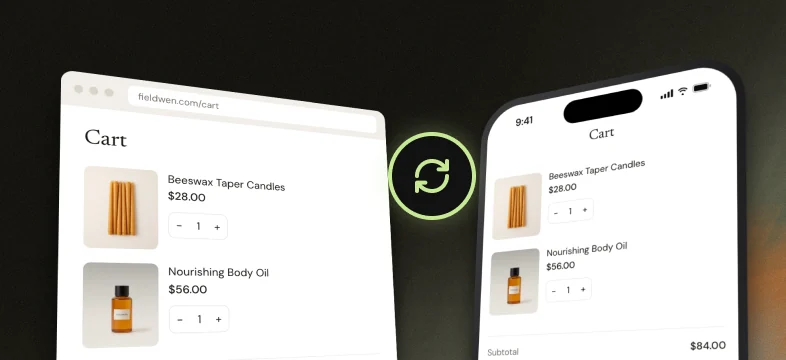
Shoppers who sign in to your app find the cart they built on your website, ready to check out. R+ Persistent Cart keeps it in sync both ways, and if you already run R+ on your store, there is nothing to rebuild.

What shoppers get


Where it shows up in your numbers
More returning carts become orders

Bigger orders from repeat visits

A full cart on their first app visit

Set up in three steps
- Turn on R+ for your app
Install R+ Persistent Cart on your Shopify store, then request the R+ Persistent Cart Headless plan in the app. R+ turns it on for your store. - Connect your key
Generate an API key on the Headless page in R+. In the Reactiv dashboard, paste it under Integrations, Persistent Cart, and connect. - Choose R+ and publish
In the Reactiv dashboard, open App Settings, then Integrations, set Refactor Plus (R+) as your persistent cart provider, then save and publish.
Frequently asked questions
What syncs between R+ and my app?
The signed-in shopper’s cart. A cart built on your website is there when the shopper signs in to your app, and changes in either place show up in the other.
Do shoppers need to sign in?
Yes. R+ saves the cart to the shopper’s customer account, so it follows shoppers who are signed in on your website and in your app.
What if the app and website carts both have items?
You choose in R+: merge them, keep the saved cart, or keep the cart from the device the shopper is using.
What happens if a sync doesn’t go through?
Checkout never waits on R+. The shopper keeps the cart on their device and checks out as normal.
Do I need a developer?
No. You install R+, request the Headless plan, and paste one API key into Reactiv.
Does it work in App Clips?
No. Cart sync runs in your iOS and Android app.


Bring your whole stack into the app.
Book a demo and we’ll walk through your integrations in a live app.