


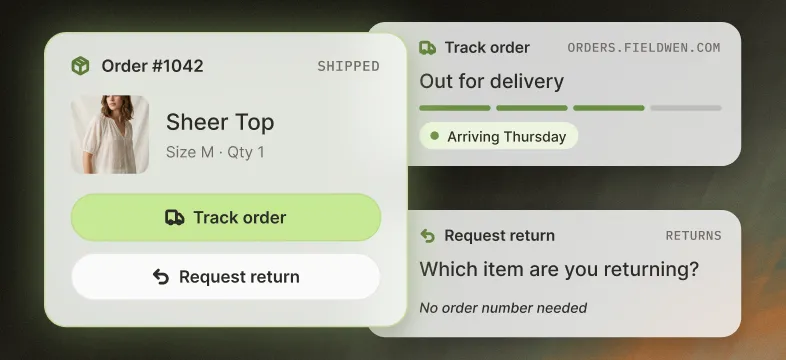
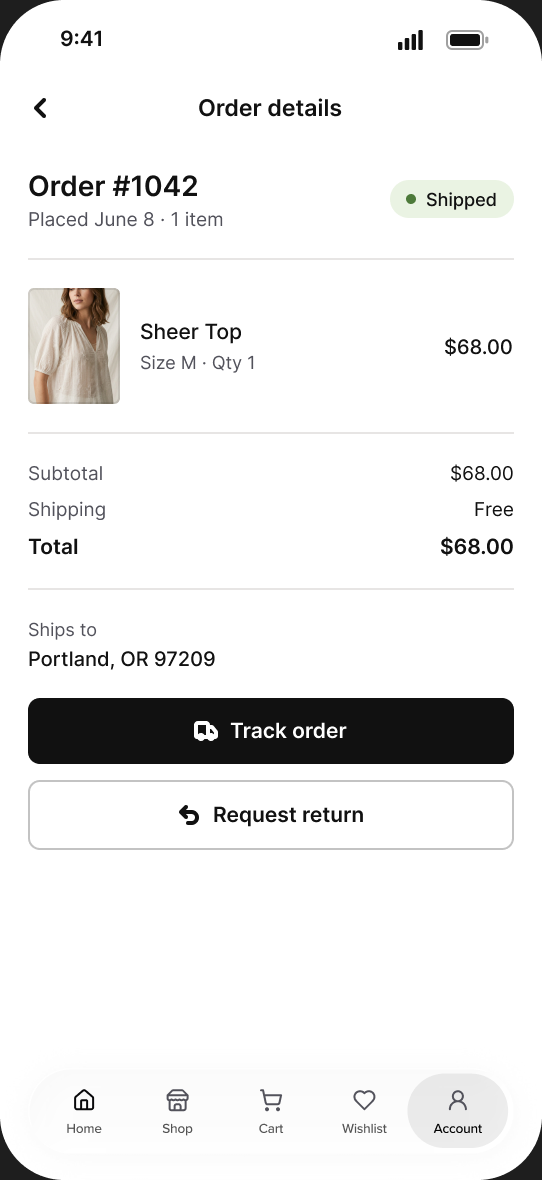
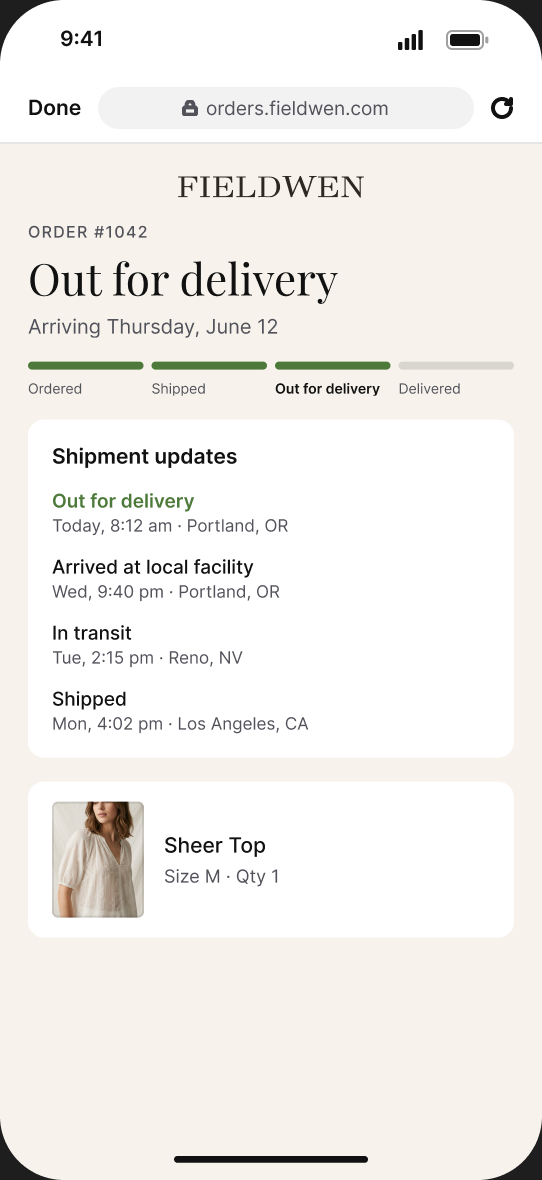
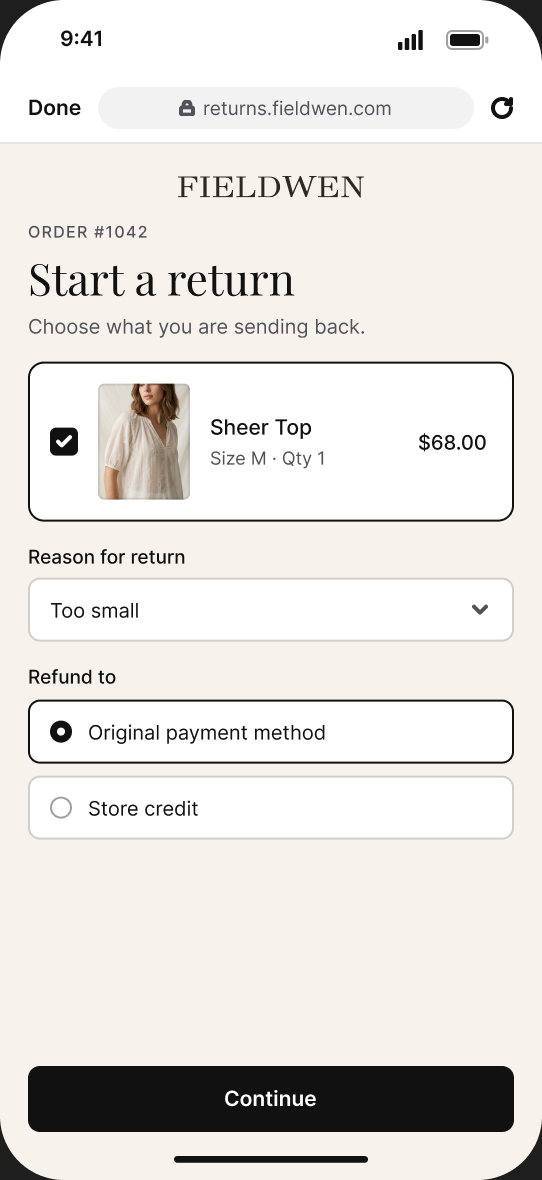
Shoppers open your branded tracking page and start a return straight from order history. It reads from the AfterShip account you already run, so there is nothing to rebuild.

What syncs
Tracking and return links
Read-only. Nothing is written back to AfterShip.
Works in
iOS and Android app
In order history, for signed-in shoppers.
Setup
Self-serve, a few minutes
Uses the branded tracking page you already run in AfterShip.
In the app
What shoppers get


Why teams use it
What it takes off your team’s plate
Fewer “where is my order?” tickets

Shoppers check delivery status in the app themselves, so fewer of them write in to ask.
No second post-purchase flow to run

The app opens the tracking page you already manage in AfterShip. Update it once and web and app both change.
Returns stay in one workflow

App returns start in your AfterShip portal, tied to the order, so they follow the rules and queue your team already uses.
Customer proof



Set up in three steps
- Connect AfterShip
In Shopify admin, open Reactiv, then Integrations, and paste your AfterShip API key. Requires AfterShip Tracking Premium or above; returns require AfterShip Returns Enterprise. Step-by-step guides: AfterShip Tracking and AfterShip Returns. - Set it as your provider
In the Reactiv dashboard, choose AfterShip for tracking, returns, or both. - Check and publish
Open a shipped order in the preview app, then publish.
Frequently asked questions
What does Reactiv read from AfterShip?
The tracking link and the return link for each order. Nothing is written back to AfterShip.
Do I need a developer?
No. You connect it yourself from the Reactiv dashboard with your AfterShip API key. The tracking guide and the returns guide walk through each step.
Does it work in App Clips?
No. Tracking and returns live in the signed-in order history, which App Clips don’t have.
Do I need both AfterShip Tracking and Returns?
No. They connect separately, so you can turn on either one or both.


Bring your whole stack into the app.
Book a demo and we’ll walk through your integrations in a live app.